Scripting PNG to AVIF Conversion for Web Delivery

I was optimizing a featured image for a blog post — a PNG that came out of Gemini at around 8MB — and figured I’d run it through ffmpeg to convert to AVIF before uploading it to WordPress.
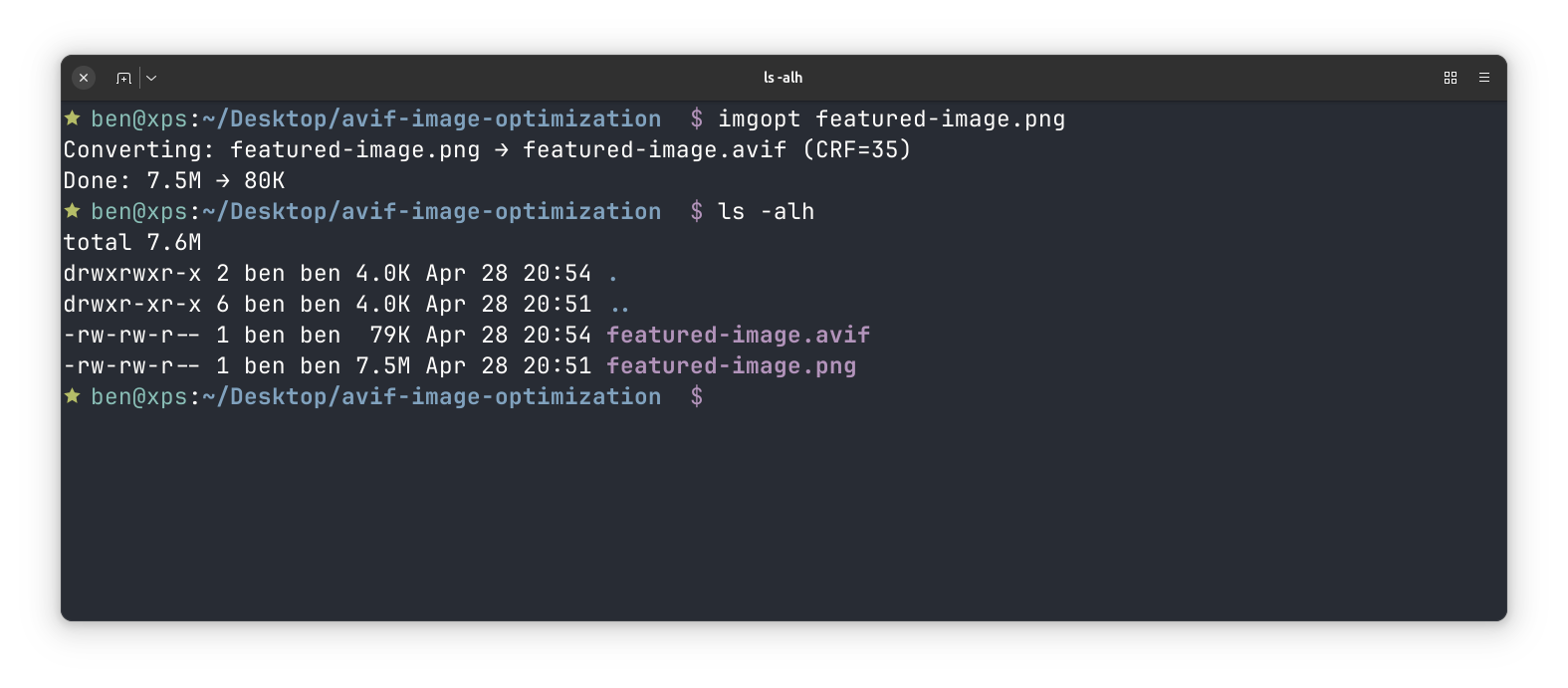
The result: 8MB down to 53KB. Same visual quality.
One command:
ffmpeg -i input.png -vf scale=1600:-2 -c:v libsvtav1 -crf 35 -b:v 0 output.avif
A few things worth knowing about those args:
-c:v libsvtav1— the SVT-AV1 encoder, which is fast and produces excellent results-crf 35— quality level (0–63, lower is better). 30–40 is the web sweet spot-b:v 0— disables the bitrate ceiling so CRF controls quality purely; these two always travel together-vf scale=1600:-2— scales to 1600px wide, auto-calculates height. The-2(not-1) rounds to an even pixel count, which AV1 requires
AVIF is supported in all modern browsers. WordPress serves it without any configuration.
The Script
Since I’ll want this more than once, I wrapped it in a small bash script at ~/.local/bin/imgopt:
#!/usr/bin/env bash
# Convert an image to AVIF using ffmpeg. Optimized for web delivery.

set -euo pipefail

usage() {
  cat >&2 <<'EOF'
imgopt — Convert images to AVIF for web delivery

Usage:
  imgopt <input> [output] [crf] [max-width]

Arguments:
  input      Source image (PNG, JPG, WebP, etc.)
  output     Output path (default: input basename + .avif)
  crf        Quality level 0-63, lower = better (default: 35)
             28-40 is the web sweet spot
  max-width  Scale width in pixels, preserve aspect ratio (default: no scaling)

Examples:
  imgopt photo.png
  imgopt photo.png photo-web.avif
  imgopt photo.png photo-web.avif 30
  imgopt photo.png photo-web.avif 35 1600
EOF
}

INPUT="${1:-}"
if [[ -z "$INPUT" || "$INPUT" == "--help" || "$INPUT" == "-h" ]]; then
  usage
  [[ -z "$INPUT" ]] && exit 1 || exit 0
fi

BASENAME="${INPUT%.*}"
OUTPUT="${2:-${BASENAME}.avif}"
CRF="${3:-35}"
MAX_WIDTH="${4:-}"

if [[ -n "$MAX_WIDTH" ]]; then
  VF_FILTER="-vf scale=${MAX_WIDTH}:-2"
else
  VF_FILTER="-vf scale=trunc(iw/2)*2:trunc(ih/2)*2"
fi

echo "Converting: $INPUT → $OUTPUT (CRF=$CRF${MAX_WIDTH:+, max-width=${MAX_WIDTH}px})"

ERRLOG=$(mktemp)
if ! ffmpeg -v quiet -i "$INPUT" $VF_FILTER -c:v libsvtav1 -crf "$CRF" -b:v 0 "$OUTPUT" 2>"$ERRLOG"; then
  cat "$ERRLOG" >&2
  rm -f "$ERRLOG"
  exit 1
fi
rm -f "$ERRLOG"

ORIGINAL=$(du -sh "$INPUT" | cut -f1)
RESULT=$(du -sh "$OUTPUT" | cut -f1)
echo "Done: $ORIGINAL → $RESULT"Code language: PHP (php)
Save it, chmod +x ~/.local/bin/imgopt, and make sure ~/.local/bin is on your $PATH. Then it’s just:
imgopt photo.png
imgopt photo.png photo-web.avif 30 1600Code language: CSS (css)
Quieting the Output
The first version of the script was noisier than expected. Adding -v quiet to the ffmpeg command silences ffmpeg’s own output — but libsvtav1, the underlying encoder, writes its info lines directly to stderr and ignores that flag entirely. The result was a wall of Svt[info] lines that -v quiet couldn’t touch.
The fix is to redirect stderr to a temp file and only surface it if the command actually fails:
ERRLOG=$(mktemp)
if ! ffmpeg -v quiet -i "$INPUT" ... 2>"$ERRLOG"; then
  cat "$ERRLOG" >&2
  rm -f "$ERRLOG"
  exit 1
fi
rm -f "$ERRLOG"Code language: JavaScript (javascript)
Silent on success. If something goes wrong, the full error output is still there.
Guarding Against Odd Dimensions
Testing the script on a screenshot surfaced another edge case. AV1 requires even pixel dimensions — width and height must both be divisible by 2. The original command used -2 instead of -1 when scaling to a max width, which handles the height automatically. But when no max-width is set, no scaling happens at all, and an image with an odd width or height goes straight to the encoder and fails:
Svt[error]: Source Width must be even for YUV_420 colorspace
Svt[error]: Source Height must be even for YUV_420 colorspaceCode language: CSS (css)
Screenshots are a common source of this — window sizes tend to be whatever they happen to be. The fix is to always run a scale pass, even when the dimensions aren’t changing. trunc(iw/2)*2:trunc(ih/2)*2 rounds each dimension down to the nearest even number. For images that are already even it’s a no-op; for odd ones it trims a single pixel.
# No max-width specified — still enforce even dimensions
-vf scale=trunc(iw/2)*2:trunc(ih/2)*2Code language: PHP (php)